
How it works
Four steps, about a minute.
Nothing to install in the car: the page at tv.rikard.dev is the receiver. The car and your phone each need an internet connection, and the car can use your phone's hotspot.
Open tv.rikard.dev in the car
Use the car's own web browser. The page says Ready to cast and shows a six-character code. Bookmark it for next time.
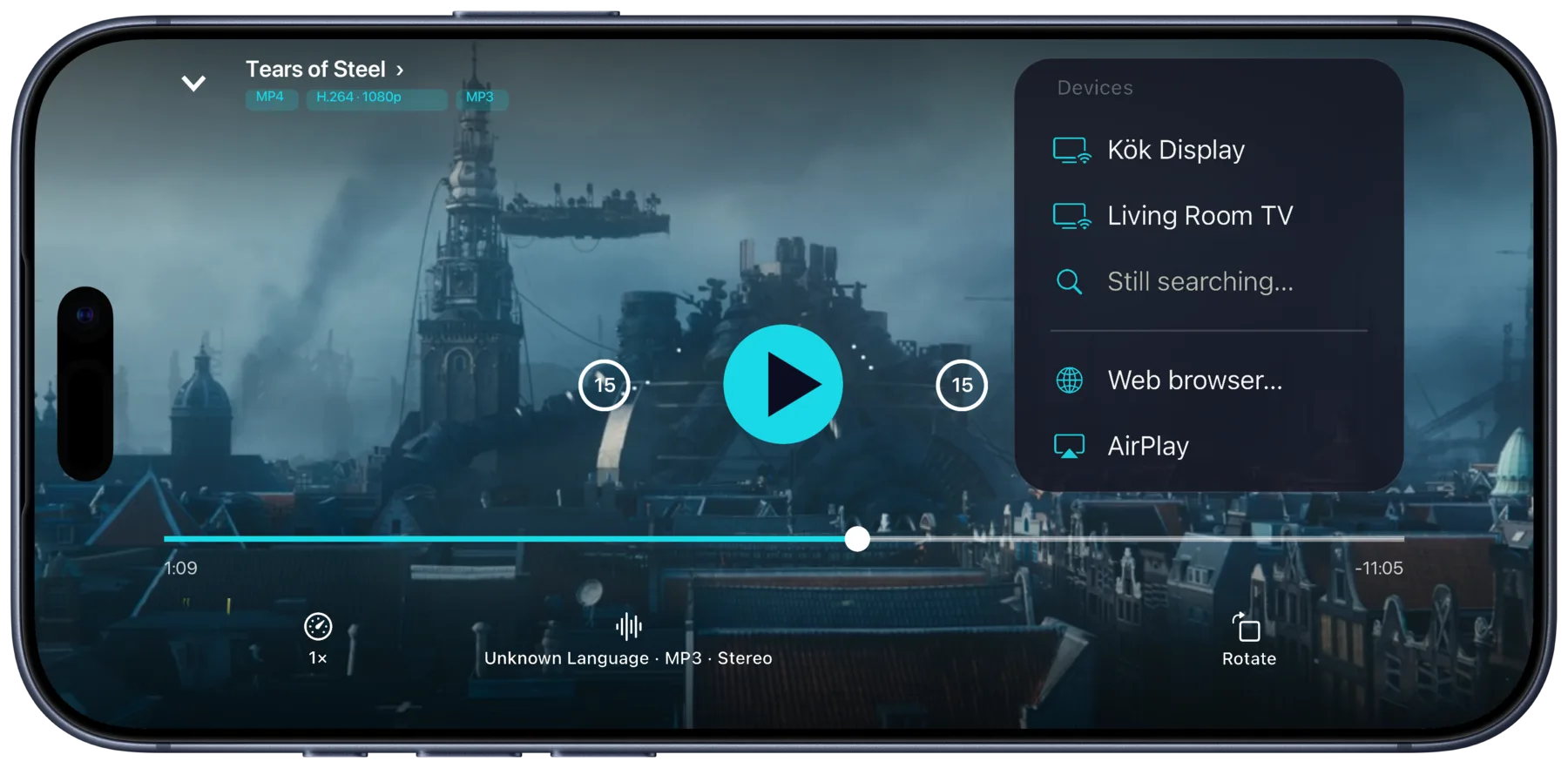
Play something in Portage
On your iPhone, iPad or Mac, start a film or an episode from your server or your downloads. Open the cast menu and pick Web browser…
Enter the code
Type the code from the car's screen. On iPhone you can tap Scan the browser's code and scan the QR code the page shows instead.
Watch on the car's screen
It plays in the car. Pause, seek and switch audio or subtitles from your phone.
Cars
Cars with a browser.
Any car whose browser plays video can be the screen. These are cars that have one.
Tesla
The built-in browser plays video in Park. The Tesla section below has the steps and what the car needs.
Polestar, Renault, Mercedes-Benz, Audi
Vivaldi, the browser for cars with Google built-in, is in Polestar and Renault cars and some Mercedes-Benz and Audi models. It plays video while parked.
Something else?
If its browser plays video, it's worth a try. Tell hi@rikard.dev how it went.
Tesla
What your Tesla needs.
Shift into Park, open Browser from the app launcher and go to tv.rikard.dev. Tesla's browser is built on Chromium, the same engine as Chrome. These are the car's own rules.
Park
Tesla's browser plays video only in Park. Shift out of Park and it pauses.
A connection
On Wi-Fi, at home or on your phone's hotspot, the browser works on any plan. Over the car's own LTE it needs Premium Connectivity.
Any Tesla since 2018
Every Model 3, Model Y and Cybertruck, and Model S and X built from March 2018. An older S or X needs the MCU2 upgrade, because the original computer's browser doesn't play video.
Where it comes from
Your server, or your phone.
If the car's browser can't play a file, Portage says so and can convert it on your device into one that will.
From your server
A film on your Plex, Emby or Jellyfin server goes from the server to the car. The server has to be reachable from outside your home, the same as when you watch on your phone away from home.
From your downloads
A film you've downloaded goes from your phone to the car directly. No server involved, which is handy on the road.
Not through us
tv.rikard.dev only introduces your phone to the car's browser. After that they talk directly, and no video passes through it.
Next time
Remembered, no code.
Once paired, the car is a cast target of its own. Open tv.rikard.dev in the car and it's in Portage's cast menu by name.
Paired browsers
Paired browsers receive casts without a code while their page is open.
Name it
Call it Car in Settings, under Paired browsers, so it's easy to find in the cast menu.
Forget it
Remove it from Paired browsers whenever you like, and it needs a code again.
Questions
Can I watch while driving?
That's up to the car. Most cars only play video in the browser while parked, and a Tesla pauses it when you shift out of Park. So this is for charging stops, waiting and passengers in a parked car.
Does the video go through your servers?
No. tv.rikard.dev and its pairing service only pass connection details between your device and the browser. The video comes from your media server or your phone, straight to the car, and nothing is kept after the session.
Which cars work?
Any car with a web browser that plays video, such as a Tesla, or a car with the Vivaldi browser: Polestar, Renault and some Mercedes-Benz and Audi models. Tried yours? Email hi@rikard.dev, especially if something didn't work.
Is this only for cars?
No. The same page works in any browser: a laptop, a smart TV's browser, an Xbox, a friend's computer in another city. Your phone is the remote wherever it is.
Do I need Premium Connectivity in a Tesla?
Only to use the browser over the car's own LTE. On Wi-Fi, at home or on your phone's hotspot, you don't.
Does the video fill a Tesla's screen?
Recent Tesla software has a full-screen button in the browser. Tap it to give the video the whole touchscreen.
Is there a Portage app for the Tesla?
No, and none is needed. The Tesla's own browser opens tv.rikard.dev, and Portage on your iPhone, iPad or Mac does the rest. Portage is not made by or affiliated with Tesla.

Get Portage.
 For iPhone, iPad and Mac