-
Step 1
Add your Jellyfin server
In Portage, pick Add a Jellyfin server…, type its address and sign in with your Jellyfin user.
-
Step 2
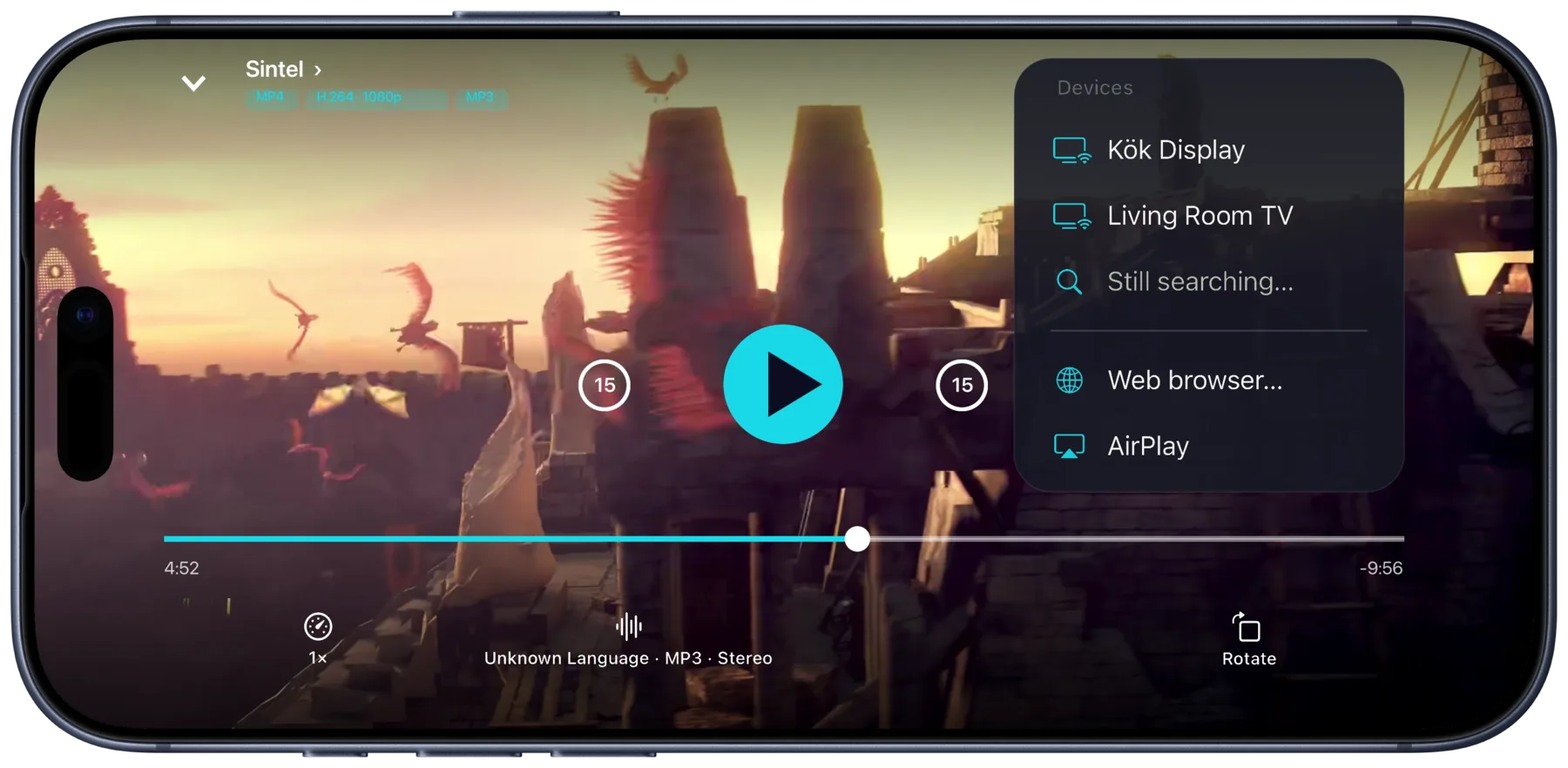
Tap the cast button
Play a film or an episode, tap the cast button and pick your Chromecast. It shows up on its own when your iPhone is on the same Wi-Fi. Allow Local Network the first time Portage asks.
-
Step 3
 Chromecast
Watch on the TV
Pause, seek and switch audio or subtitles from your iPhone. Tracks inside the file switch without restarting the film.
The original file, even an MKV. When the Chromecast can play the file, Portage sends it as it is, so your Jellyfin server has nothing to transcode.
What you need
- An iPhone or iPad with Portage, on iOS 26 or later
- A Chromecast or a TV with Google TV, on the same Wi-Fi as your iPhone
- A Jellyfin server you can sign in to
Other ways, and what they cost
- Jellyfin’s app on a Google TV. Needs the app installed on the TV and your Jellyfin user signed in there. The app is free.
- Jellyfin in Chrome on a computer. Needs a computer with Chrome on the same Wi-Fi, where Jellyfin’s web player casts to the Chromecast. Free.
When the Chromecast can’t play a file
Older Chromecasts don’t play HEVC, for example. Portage lets the Chromecast try the original first. If it can’t play it, Portage says so and can make a copy that will, on your iPhone, with the preset for your Chromecast. Nothing is uploaded, and your server does no extra work.
Questions
Does my Jellyfin server have to transcode?
Not when the Chromecast plays the original file. Portage sends it as it is whenever it can, and any copy for the TV is made on your iPhone, not on the server.
Can I cast a film I’ve downloaded?
Yes. It plays from your iPhone to the Chromecast over your Wi-Fi.
What if my iPhone loses Wi-Fi?
The TV keeps playing, and Portage reconnects to it, showing “Reconnecting to…” until it’s back.
Is Portage made by Jellyfin?
No. Portage works with your Jellyfin server, but Jellyfin doesn’t make or endorse it.

Get Portage.
 For iPhone, iPad and Mac