-
Step 1
Original fileMKVHEVC · 1080pTrueHDAC-3Play
Play it
Tap Play on an MKV from your server or your downloads. A streamed MKV plays the original file, so your server has nothing to convert.
-
Step 2
Pick the sound and subtitles
The file’s audio tracks and text subtitles are in the player’s menus. DTS and TrueHD play as 5.1, converted on your device as the film plays.
-
Step 3
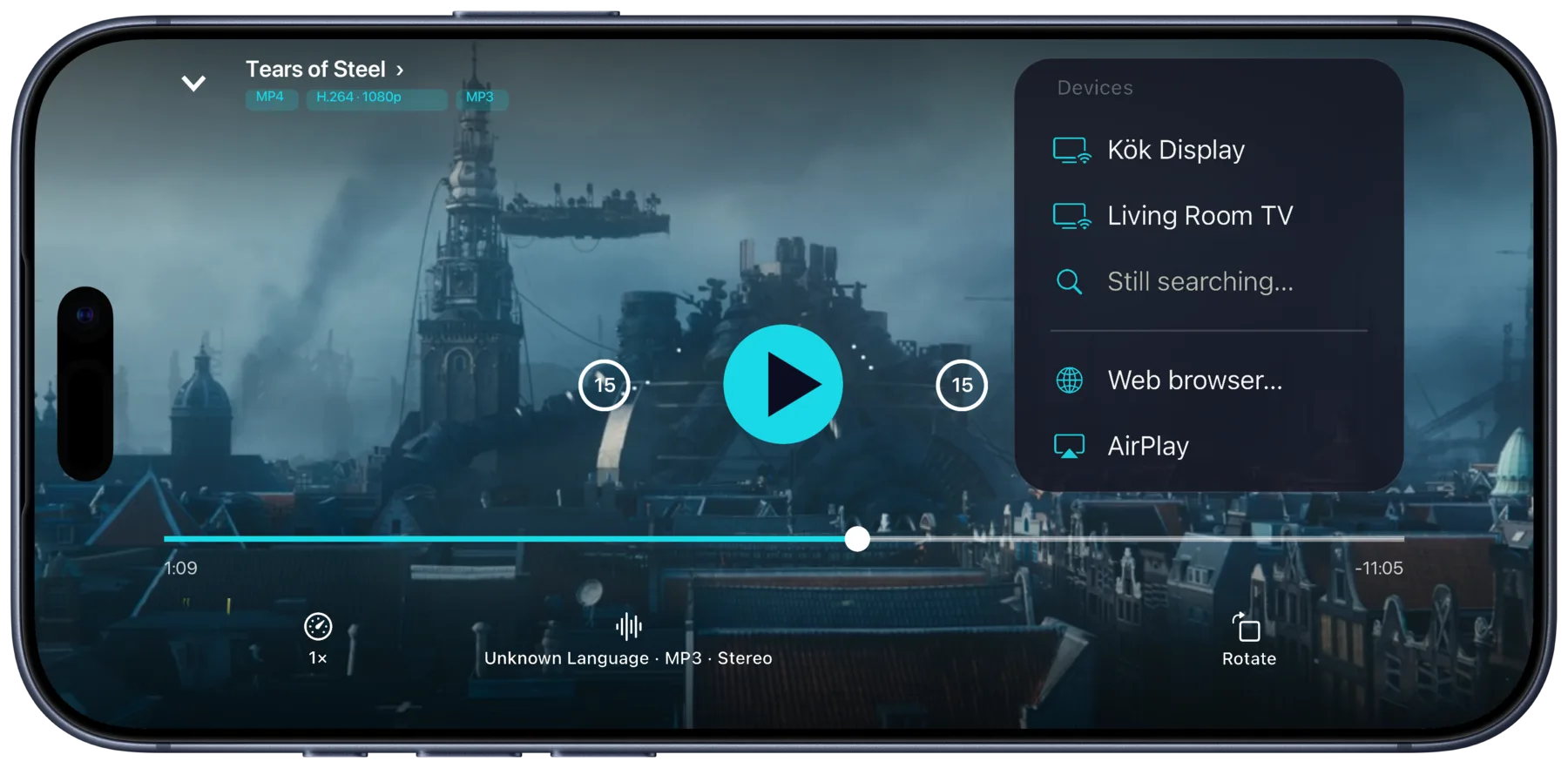
AirPlay it to an Apple TV
Pick AirPlay in the cast menu, and the MKV plays on an Apple TV like any other video from your iPhone.
Surround sound. Dolby Digital and Dolby Digital Plus play untouched, with Dolby Atmos passed through to a compatible receiver. DTS and TrueHD play as 5.1.
What you need
- Portage on an iPhone, iPad or Mac
- MKV files on your Plex, Emby or Jellyfin server, or downloaded to your device
- For AirPlay, an Apple TV on the same Wi-Fi
Other ways, and what they cost
- A player that opens MKV files, such as VLC. Free. Needs the files copied to the device or a network share it can open.
- Your server converts it as it streams. Plex, Emby and Jellyfin can transcode an MKV for the iPhone. Needs a server with the power to do it.
- Convert it on a computer first. HandBrake is free. Needs a computer and the time to convert each film.
Which devices play what
Portage passes the picture through as it is and only converts the sound when your device can’t play it. So the picture has to be one your device decodes. H.264 and HEVC play on every iPhone, iPad and Mac that runs Portage. AV1 needs a recent model, such as an iPhone 15 Pro or a Mac with M3, and Portage says so when yours can’t decode it.
VC-1, and MPEG-2 on an iPhone, still need a conversion first. Portage can make that copy on the device.
Questions
Does every MKV play?
Not every one. The picture has to be in a format your device decodes, and a streamed MKV needs the index most files carry. When one can’t play as it is, Portage says so and offers a converted stream or a copy made on the device.
Does my server have to convert anything?
Not for an MKV that plays as it is. Portage reads the original file and does the work on your device, so the server only serves the file.
Do the subtitles inside the file show up?
Text subtitles inside the MKV are in the subtitle menu. Subtitles stored as pictures can’t show this way, and Portage says why.
Can I skip around in it?
Yes. Seeking works as for any video, and dragging the timeline on a downloaded MKV shows previews.

Get Portage.
 For iPhone, iPad and Mac