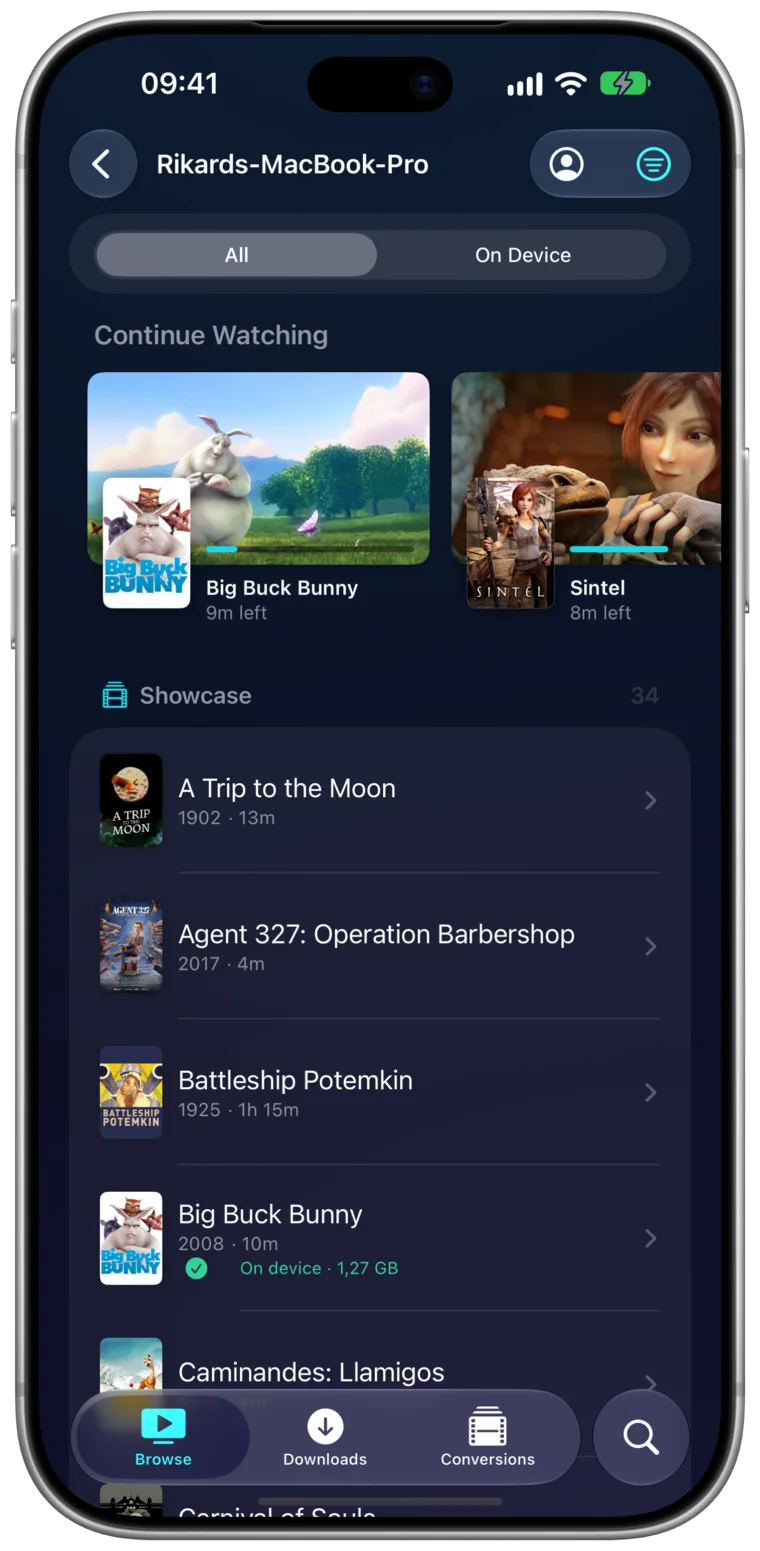
Sign in
Two ways in.
Use whichever you already have. Either way, where you stop is saved on the server, so Emby on your TV carries on from there.
Emby Connect
Pick Add an Emby Connect account… and Portage finds the servers your account can reach. A server shared with you later shows up on its own.
Server address
Pick Add an Emby server…, type an address like 192.168.1.100:8096 or https://media.example.com, and sign in with your Emby user.
Stream
The original file, whenever it plays.
Portage asks Emby for the file itself when your device can play it, so the server has nothing to transcode. When it can't, you pick the size before it starts.
- Every audio and subtitle track, switchable while it plays
- Continue Watching and search across every server you add
- Picture in Picture, and pinch to fill the screen
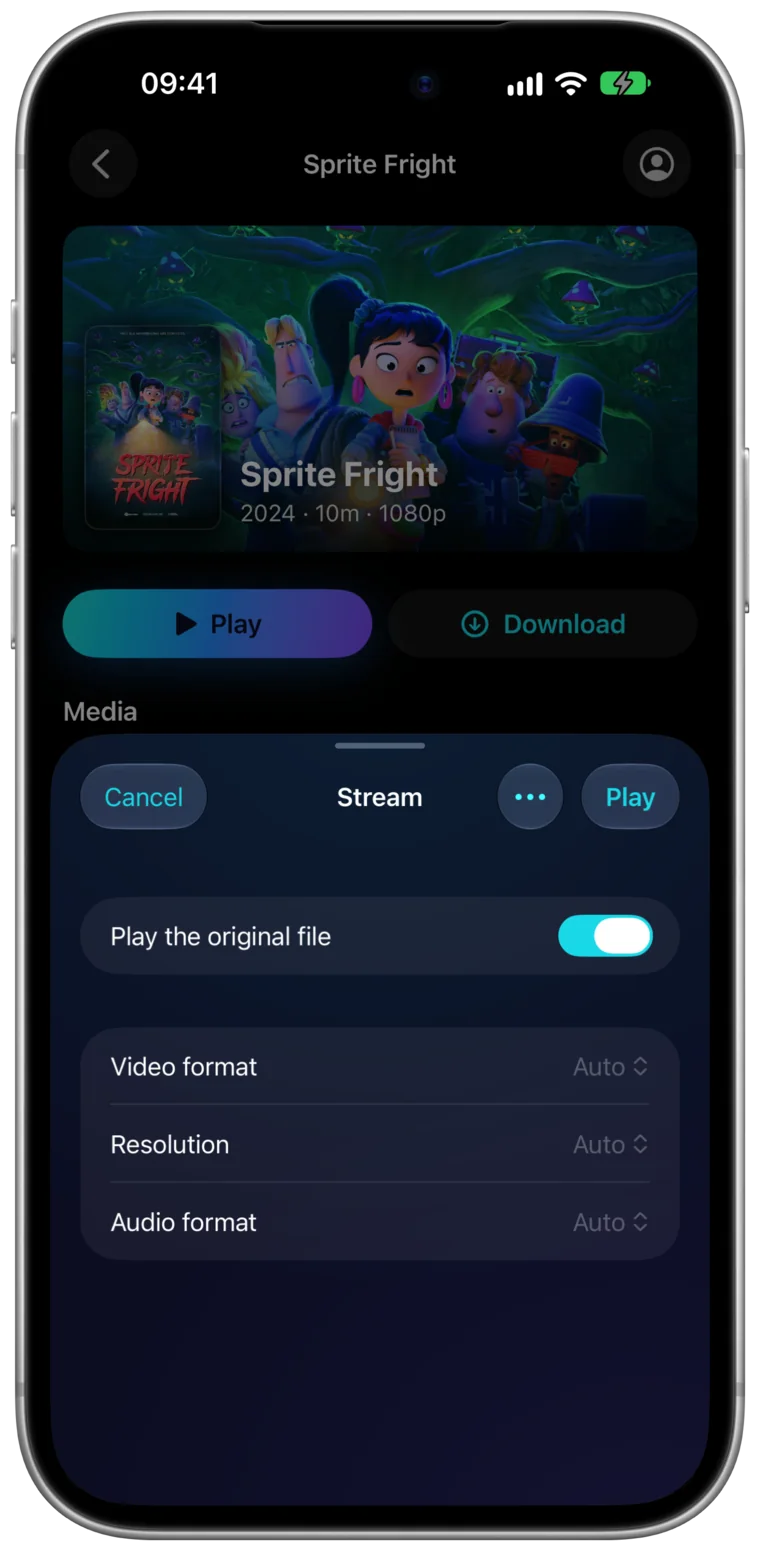
The original file,
or a size you pick
Download
Emby, offline.
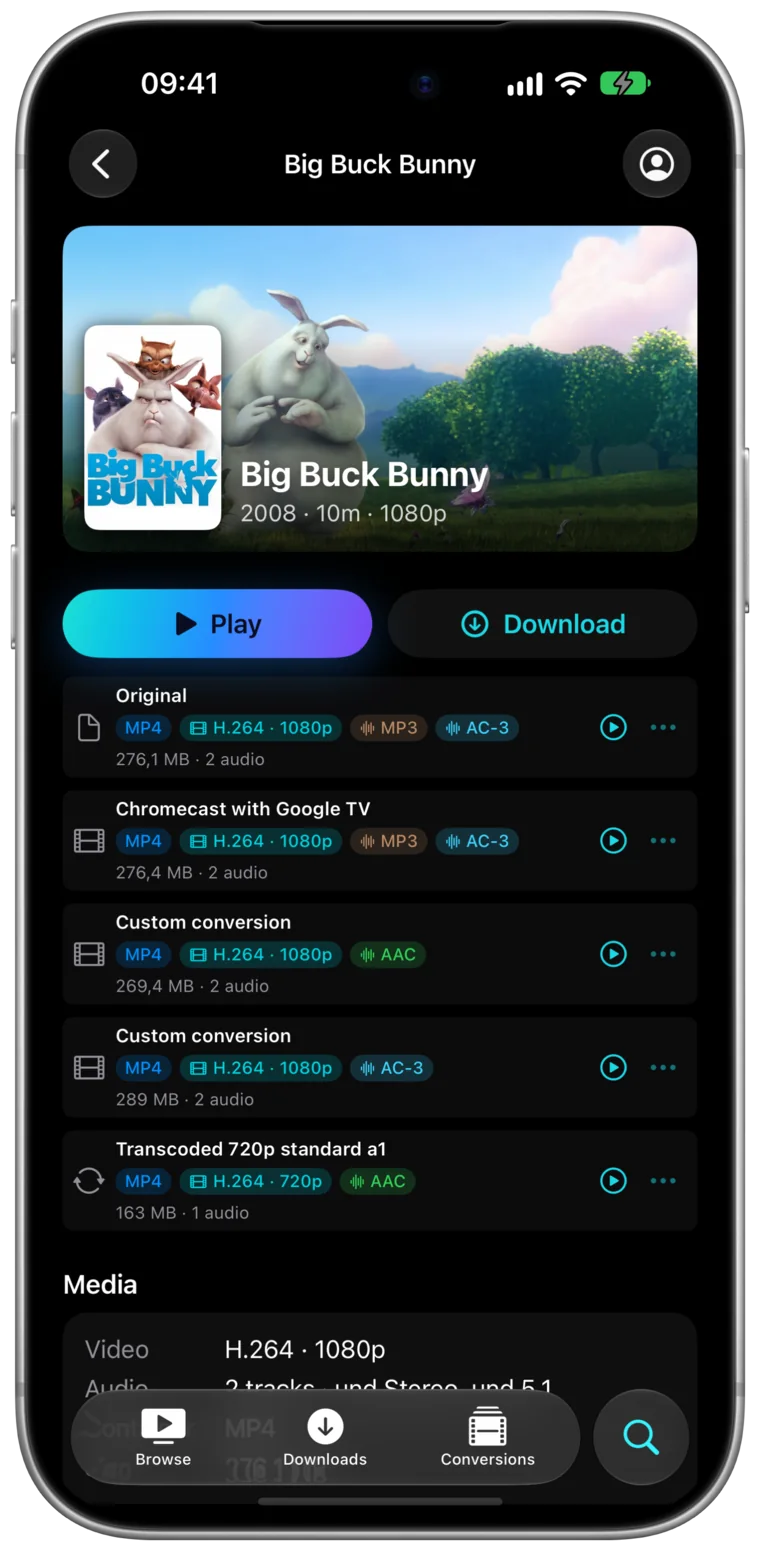
Save a film or a whole season as a real file. On iPhone and iPad it's in the Files app, on the Mac in a folder you pick.
- Download Original: the untouched file, every track inside it
- Download Transcoded: Emby makes a smaller copy at the quality you pick
- Download & Transcode: converted on your device for the screen you'll watch on
- Downloads carry on in the background and resume after interruptions
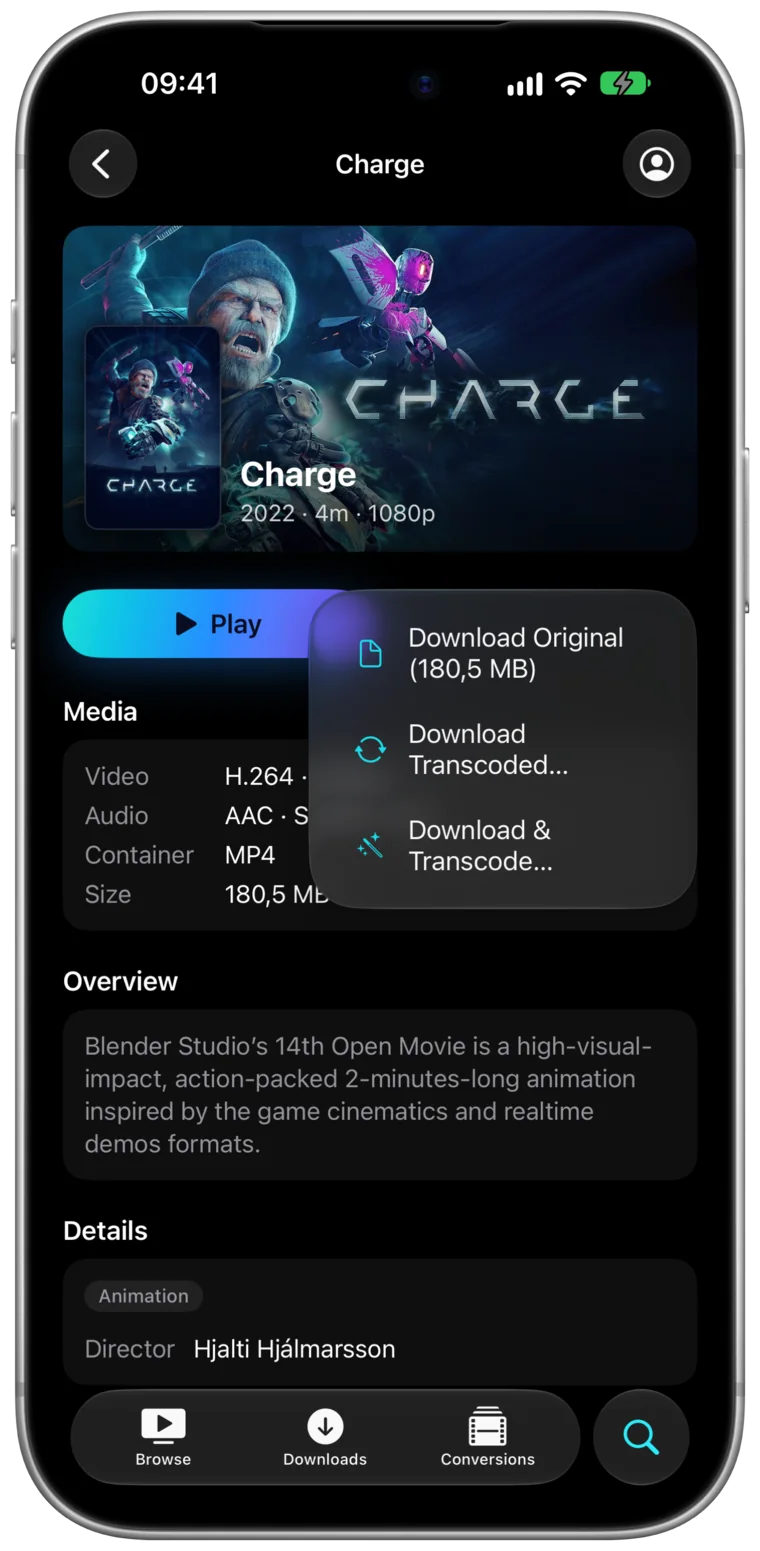
The untouched original
Cast
Emby on the TV.
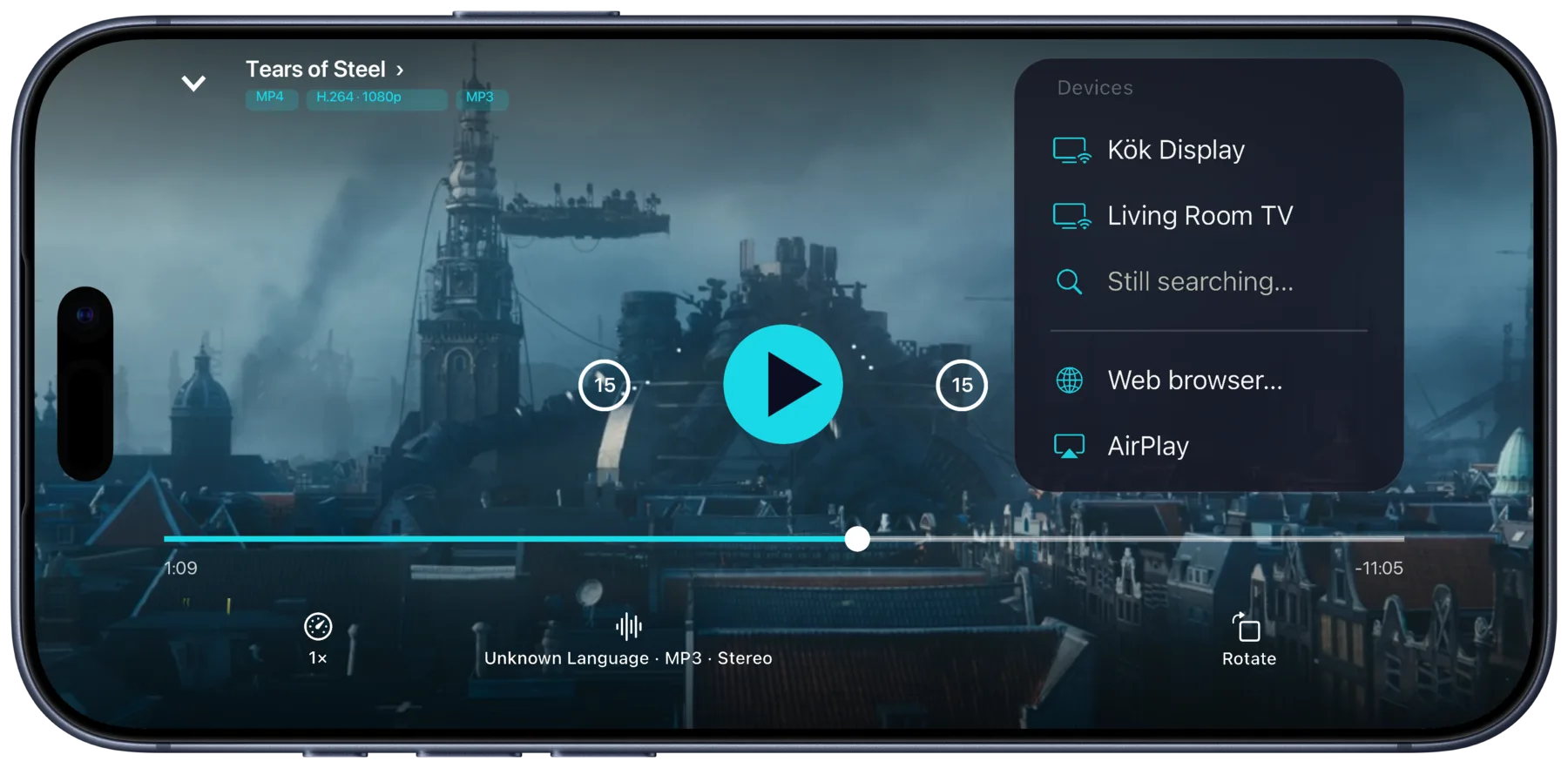
Chromecast, Google TV and DLNA TVs show up on their own, with AirPlay in the same menu. Pause, seek and switch tracks from your phone.
- Casts the original file when the TV can play it, even an MKV
- Any browser works, even your car's: open tv.rikard.dev and type the code it shows
Convert
When the TV says no.
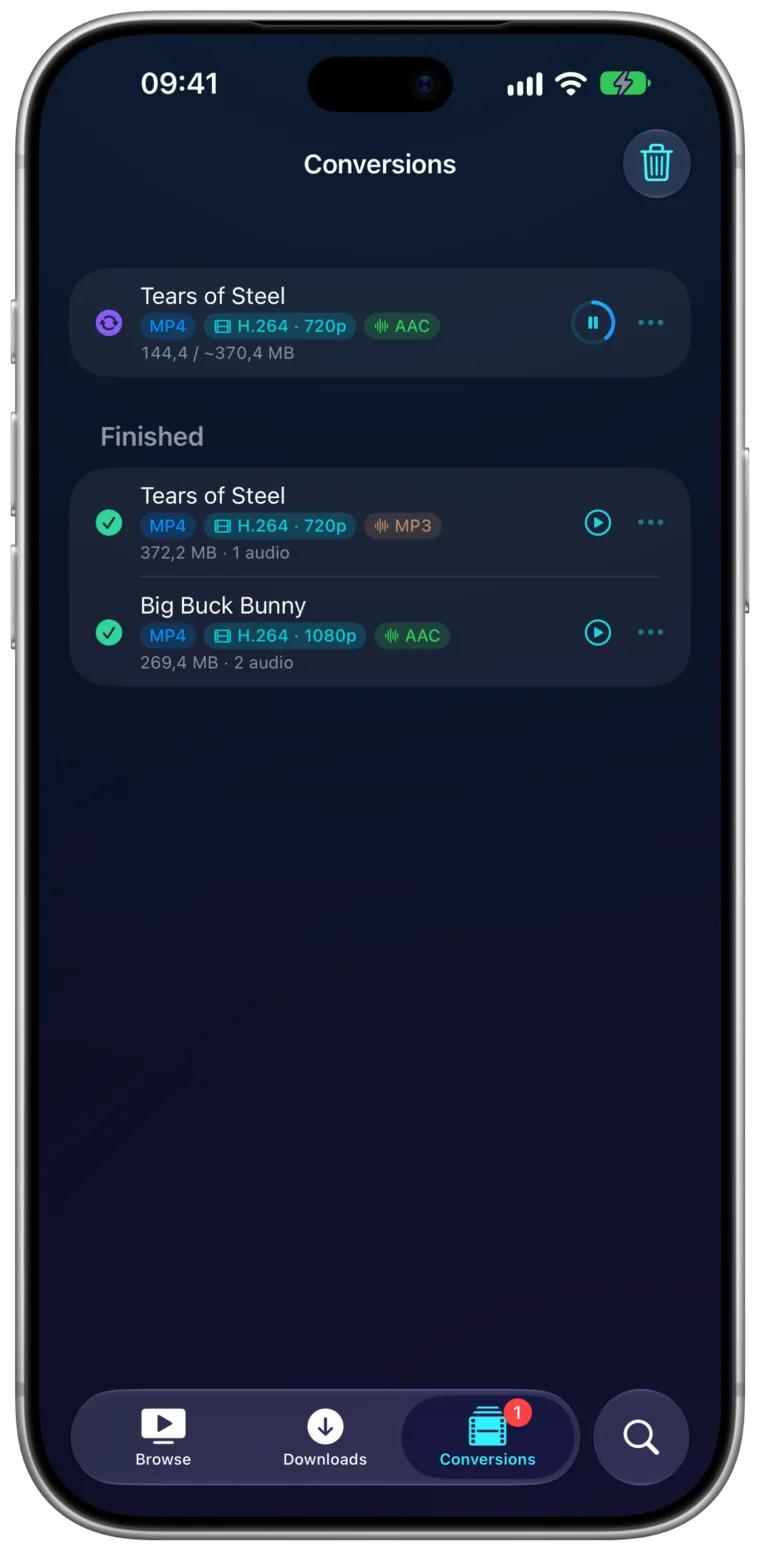
Some TVs can't play some files. Portage converts them on your iPhone, iPad or Mac, with presets for Apple TV, Chromecast and iPhone. Pause a conversion or quit the app, and it carries on later where it stopped.
Resumable
Questions
Is Portage the official Emby app?
No. Portage works with your Emby server, but Emby doesn't make or endorse it. It signs in to your server with your own Emby user, directly or through Emby Connect.
Do I need Emby Connect?
No. Add your server by its address if you'd rather. Emby Connect is there for the servers your Connect account reaches, including ones shared with you later.
Does it work away from home?
If your Emby server is reachable from outside your network, yes, the same way the official apps reach it. Anything you've downloaded plays with no connection at all.
What do I need?
An Emby server you can sign in to, and an iPhone or iPad on iOS 26 or a Mac on macOS 12 or later. Portage has no ads.
Get Portage.
 For iPhone, iPad and Mac