-
Step 1
tv.rikard.dev
 PortageReady to castK7M2QXEnter this code in Portage
Open tv.rikard.dev on the TV
Use the TV’s own web browser. The page says Ready to cast and shows a six-character code and a QR code.
-
Step 2
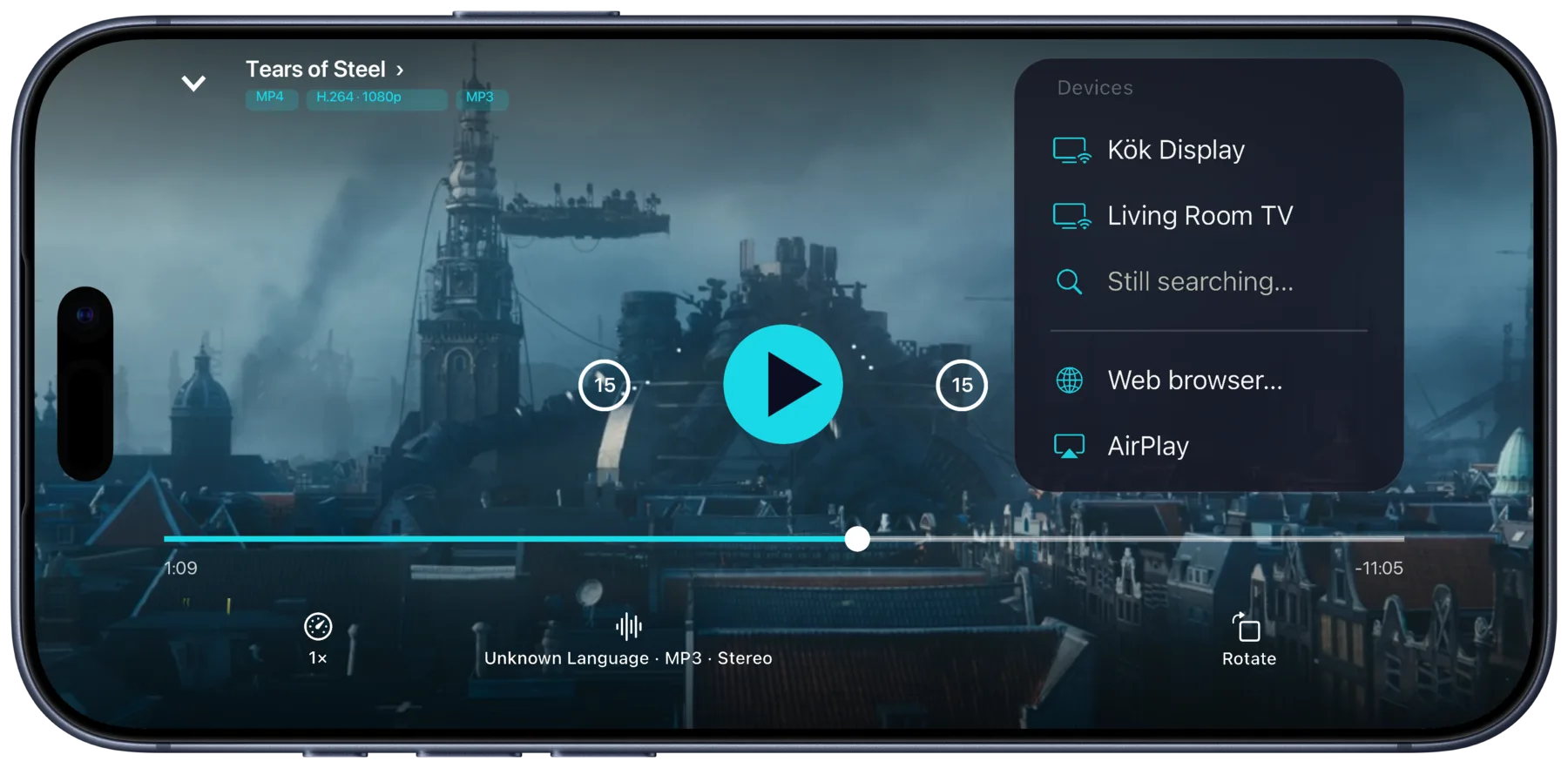
Type the code in Portage
Play a film from your server or your downloads, open the cast menu and pick Web browser… Type the code, or on iPhone tap Scan the browser’s code.
-
Step 3

Watch, with your phone as the remote
Pause, seek and switch audio or subtitles from your phone. When you leave, close the tab on the TV.
Nothing to sign in on the TV. Your Plex, Emby or Jellyfin sign-in stays on your phone. The TV joins your Paired browsers in Portage’s Settings, so it can take casts without a new code; remove it there when you check out.
What you need
- An iPhone, iPad or Mac with Portage
- A TV with a web browser that plays video, and an internet connection
- An internet connection on your phone too
- Your server reachable from outside your home, or the films downloaded
Your phone and the TV connect to each other directly. A few networks block that.
Other ways, and what they cost
- An HDMI cable from a laptop. Needs a laptop, the right cable and HDMI ports on the TV you can reach.
- Your server’s app on the TV. Needs a TV that lets you install apps, and your account signed in on it until you sign out again.
- A streaming stick of your own. Needs the stick, a free HDMI port and a Wi-Fi network it can join.
An older Apple TV in the rental
The second- and third-generation Apple TV, from 2010 to 2013, can’t install apps, but they take AirPlay. Make a copy they can play before you go: on the film’s page tap Download, pick Download & Transcode…, tap Add preset… and choose Apple TV (3rd gen), or Apple TV (2nd gen) for the 2010 box. For a film you’ve already downloaded, tap Convert… instead. Your iPhone makes the copy, and nothing is uploaded.
In the rental, join the same Wi-Fi as the Apple TV, play the copy and pick AirPlay in the cast menu.
Questions
What if the TV has no browser?
If it has a Chromecast or takes AirPlay, Portage casts to those instead. Otherwise an HDMI cable from a laptop is the way.
Does it work with films I’ve downloaded?
Yes. A downloaded film goes from your phone to the TV directly, so your server doesn’t need to be reachable at all.
Does the video go through your servers?
No. tv.rikard.dev only introduces your phone to the TV’s browser. After that they talk directly, and no video passes through it.
What if the TV’s browser can’t play a file?
Portage says so and can convert it on your phone into a copy that will.

Get Portage.
 For iPhone, iPad and Mac