-
Step 1
Sign in with Plex
In Portage, pick Add a Plex account… and sign in with Plex. Portage lists the servers your account can reach: yours, and the ones friends share with you.
-
Step 2
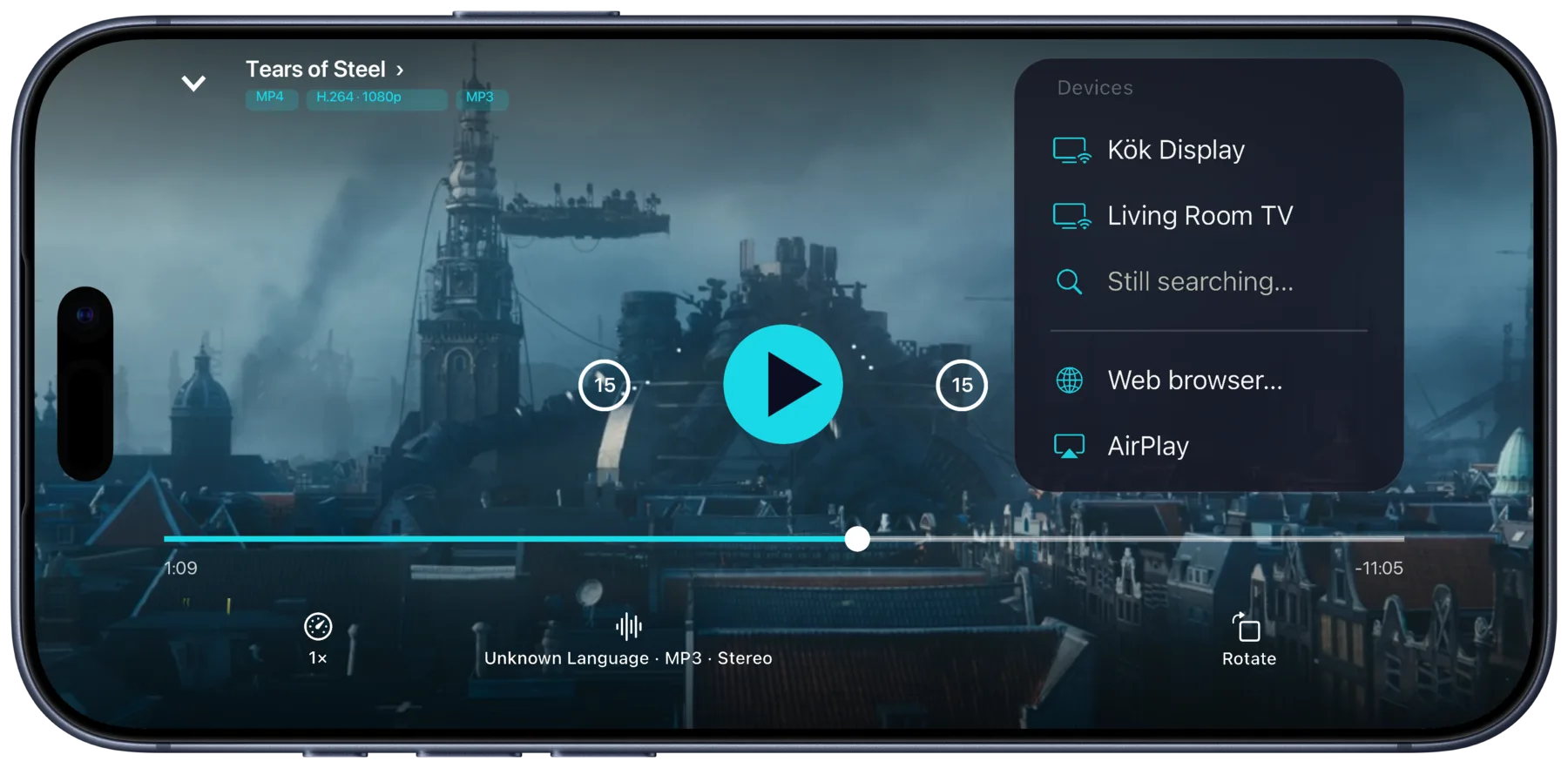
Tap the cast button
Play something and tap the cast button. Chromecasts, Google TVs and smart TVs on your Wi-Fi show up on their own, with AirPlay in the same menu.
-
Step 3
 Living Room TV
Watch on the TV
Pause, seek and switch audio or subtitles from your iPhone. There’s nothing to sign in on the TV.
Carry on anywhere. Where you stop is saved on your Plex server, so Plex on your TV, or Portage on another device, carries on from there.
What you need
- An iPhone or iPad with Portage, on iOS 26 or later
- A Plex account with access to a server
- A Chromecast, a Google TV, or a smart TV that plays video over DLNA, on the same Wi-Fi as your iPhone
Other ways, and what they cost
- The Plex app on the TV. Needs the app installed on the TV and your Plex account signed in on it.
- A cable from your iPhone. Needs an HDMI adapter for your iPhone, a cable, and an HDMI port on the TV you can reach.
A smart TV that isn’t in the list
Smart TVs show up when they take video over DLNA on your Wi-Fi, and Samsung TVs can skip and seek too. If yours isn’t there, use its web browser instead: open tv.rikard.dev on the TV, pick Web browser… in Portage’s cast menu and type the code the TV shows.
Questions
Does it work with a server a friend shares with me?
Yes. Portage lists every server your Plex account can reach, including the ones friends share with you.
What if the TV can’t play a file?
Portage lets the TV try the original first, TrueHD and DTS soundtracks included. If it can’t play it, Portage says so and can make a copy that will, on your iPhone.
What if my iPhone loses Wi-Fi?
A Chromecast keeps playing, and Portage reconnects to it, showing “Reconnecting to…” until it’s back.
Is Portage made by Plex?
No. Portage works with your Plex server, but Plex doesn’t make or endorse it.

Get Portage.
 For iPhone, iPad and Mac